Category-first YouTube for iOS
YouTube without recommendations
Follow channels by category and leave the recommendation feed behind.
End doom-scrolling today
iOS 17+ · Version 5.3.2
The recommendation rabbit hole
Recommendations are good at finding the next video. They are less good at helping you stop. A related-video rail or an autoplay queue turns one video into an hour without a decision in between.
ZenTube does not try to make recommendations better. It removes them from the app you watch in, so the only videos in front of you come from channels you chose.
Category-first, not algorithm-first
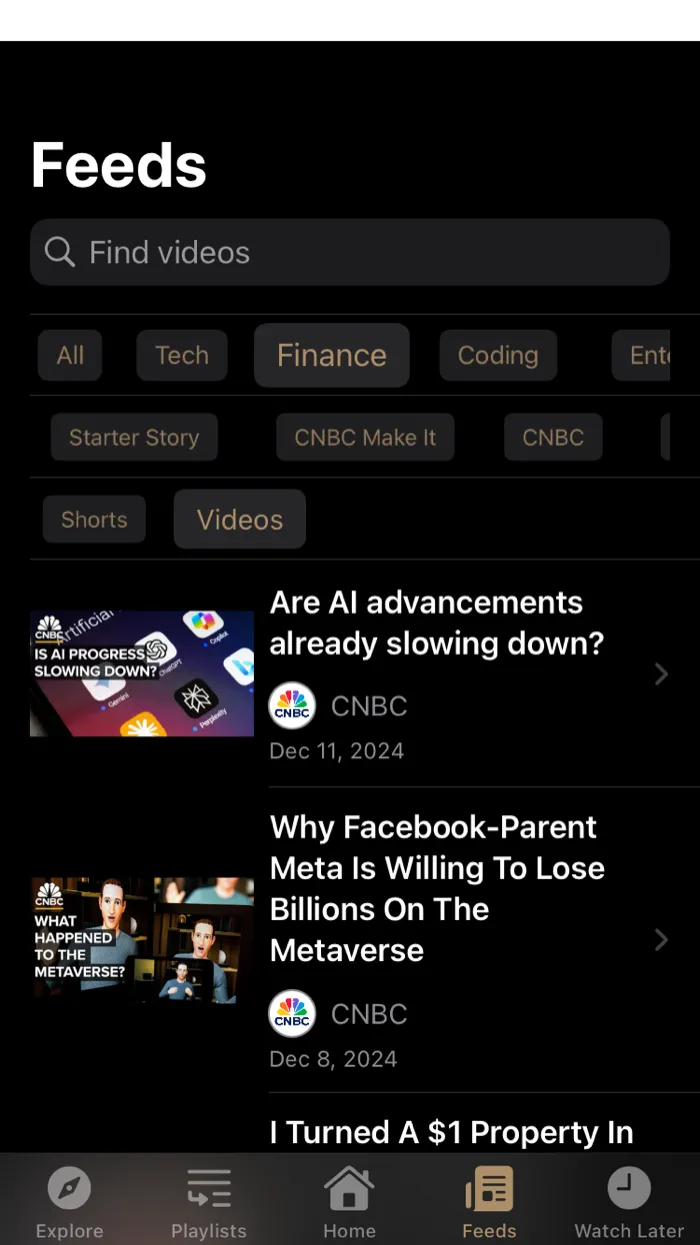
You add the channels you actually follow and put them into categories that make sense to you — work, study, news, hobbies, or something else entirely. The Feeds view is built from those categories.
- Your subscriptions are the source of the feed.
- Categories keep different interests separate.
- There is no recommendation model deciding what comes next.
- The Explore tab is a separate, deliberate step.
No account required
You do not need a ZenTube account. Your channels, categories, and notes are stored on your device and synced through your personal iCloud. ZenTube does not keep your viewing history on its servers.
What you still get
Removing recommendations does not remove YouTube. In ZenTube you still get:
- A feed built from your subscriptions and categories.
- A clean Explore/search tab for deliberate discovery.
- Note taking while you watch, with timestamps.
- Zen Mode, which hides thumbnails to make the feed less visually loud.
Some of these are premium features.
Frequently asked questions
- Are recommendations completely gone?
- Inside ZenTube, yes: there is no recommendation shelf, related-video rail, or autoplay queue. Google’s YouTube app and website are unchanged, so recommendations still exist there.
- Do I need an account?
- No. ZenTube does not require a ZenTube account. Your channels and categories live on your device and sync through your personal iCloud.
- Does it work on Apple Silicon Mac?
- Yes. ZenTube is available for iPhone and iPad, and it can also be installed on an Apple Silicon Mac.
Sounds good?
Download Now.